Moving a website to a new host with no downtime and no SEO loss
Changing servers is scary for a sensible reason: you rarely do it, and when it goes wrong, it goes wrong in public. But it isn't a delicate operation by nature; it's delicate when you improvise. This is the procedure we use, written the way we write it for every real migration: a prep checklist, a window of about 45 minutes and a week of monitoring.
Before you start, an important distinction. Changing hosting isn't the same as changing URLs. If you're also going to restructure your website, change your domain or reorganize your page URLs, that's a different operation with its own ranking risks, and we cover it separately in SEO migration without losing rankings. Here we're talking about moving the same website, with the same URLs, to another server.
Before switchover day
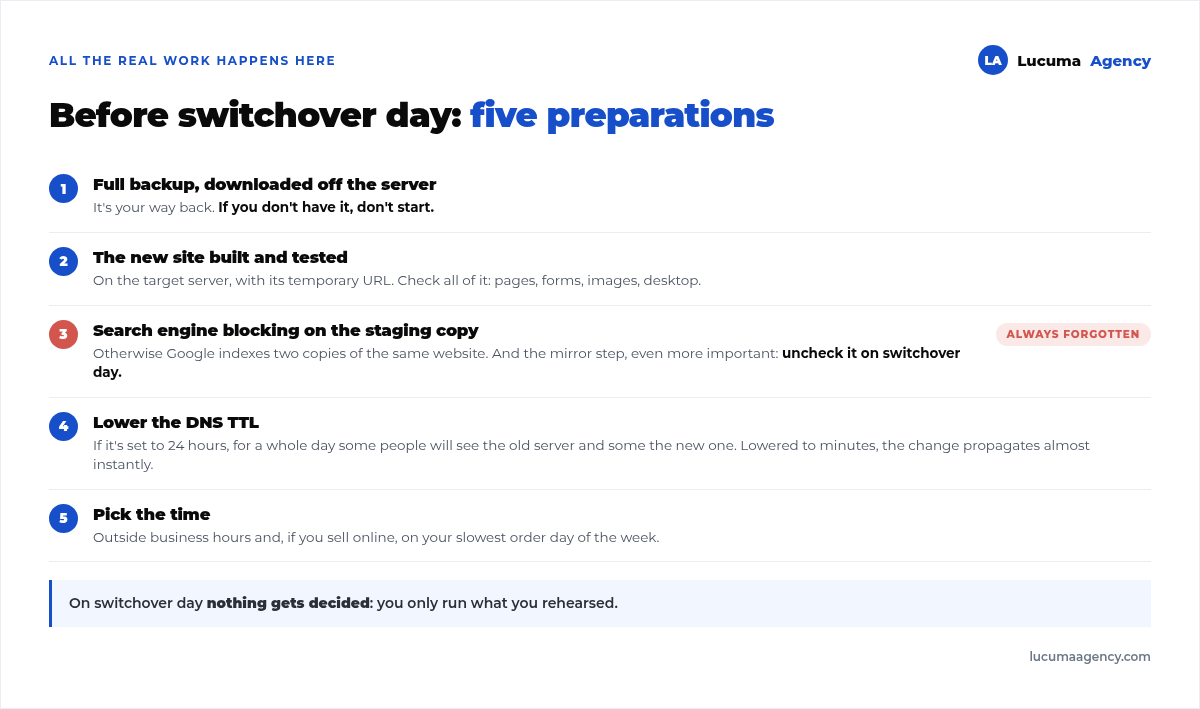
All the real work happens here. On switchover day you only execute what you've rehearsed.
1. A full backup of the current site, downloaded off the server. It's your way back. If you don't have it, don't start.
2. The new site set up and tested on the destination server, with its own temporary address. It gets a full review: pages, forms, images, the dashboard.
3. Search engine blocking on the staging copy. This is critical and often forgotten: while the new version lives at a temporary address, it has to be set so search engines don't index it. Otherwise, Google indexes two copies of the same website and you start the migration with a duplicate content problem. And the mirror step, even more important: uncheck it on switchover day. We've seen perfectly migrated websites go weeks without showing up on Google because of that checkbox.
4. Lower the DNS TTL a few days ahead. That value tells internet providers how long to remember which server your website is on. If it's set to 24 hours, for a whole day some people will see the old server and others the new one. By lowering it to a few minutes, the change propagates almost immediately.
5. Pick the time. Outside business hours and, if you sell online, on the day of the week with the fewest orders.
Switchover day: nine steps
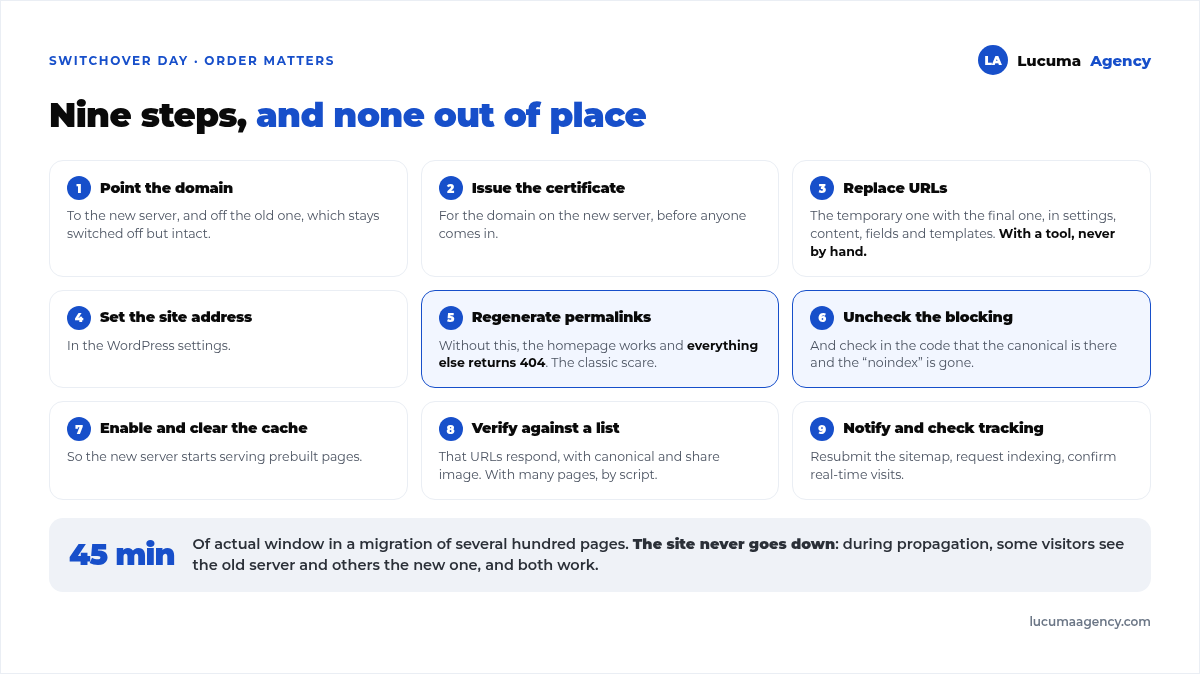
This is the sequence, and the order matters:
- Point the domain to the new server and remove it from the old one, which stays switched off but intact.
- Issue the SSL certificate for the domain on the new server, before anyone comes in.
- Replace the URLs in the database: the temporary staging address for the final one. This touches settings, content, custom fields and page builder templates. It's the step you do with a tool, never by hand.
- Set the site address in the WordPress settings.
- Re-save the permalinks, which regenerates the URL rules. Without this, the home page works and everything else returns a 404 error. It's the classic migration scare.
- Uncheck the search engine blocking and check in the page source that the canonical tag now appears and the noindex tag is gone.
- Turn on caching and clear it.
- Verify: that a list of URLs responds correctly, each with its canonical tag and its sharing image. On migrations with many pages, this is done with a script, not by eye.
- Notify the search engine and check analytics: resubmit the sitemap, request indexing for the home page and main sections, and confirm in real time that visits are coming in on the domain.
On a migration of several hundred pages, this takes us about 45 minutes of actual window. The site never goes down: during propagation, some visitors see the old server (which keeps running) and some see the new one.
What bogs down a migration the most
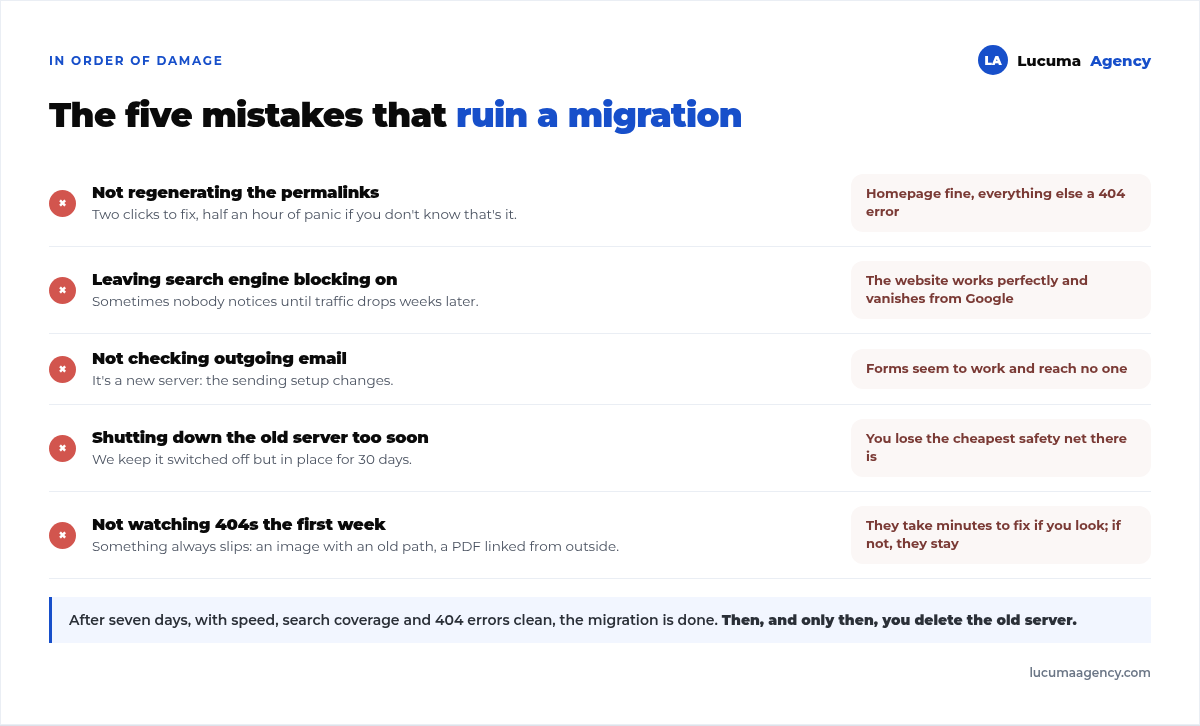
Five things we see go wrong, in order of damage:
1. Not regenerating the permalinks. Home page fine, everything else erroring out. Two clicks to fix, half an hour of panic if you don't know that's what it is.
2. Leaving search engine blocking on. The website works beautifully and disappears from Google. Sometimes nobody notices until traffic drops weeks later.
3. Not checking outgoing email. It's a new server, so the email sending setup changes. Forms still seem to work and the messages reach no one. It's so common that we wrote a whole article about it: when your form submissions don't arrive.
4. Canceling the old server too soon. We leave it switched off but still in place for 30 days. It's the cheapest safety net there is.
5. Not checking 404 errors in the first week. There's always something: an image with an old absolute path, a PDF linked from somewhere else. They show up in the error log and get fixed in minutes if you look.
The first week
Three checks and you're done:
- Speed, on the home page and on an inner page. This is the moment to confirm that the new server is actually better and not just different.
- Search engine coverage: that your pages are still indexed and no new server errors show up.
- 404 errors, every day for the first few days and then once more.
If those three are clean after seven days, the migration is done. Then, and only then, you delete the old server.
Hosting migration FAQ
Will I lose rankings if I change hosting?
Not if your URLs stay the same. What moves rankings is changing URLs or site structure, not the server. What can hurt you is accidentally leaving search engines blocked or breaking internal URLs, and both are avoidable.
How long will my website be down?
Done right, zero. The old site keeps running while DNS propagates, so nobody sees an error page: some visitors see the old server and others the new one, and both work.
Can I migrate it myself with a plugin?
For a small site, yes: a migration plugin copies the files and the database. What the plugin doesn't handle is the SSL certificate, URL replacement, permalinks, search engine blocking or email. That's where migrations break.
When do I cancel the old hosting?
After 30 days, not before, and only after confirming that search engine coverage and 404 errors are clean. Paying for one extra month is the cheapest insurance in the whole operation.
What if my email is on the same hosting?
Then it's a double migration, and it's best to split it: first email, with its DNS records, and confirm messages are arriving; then the website. Moving both on the same night is how emails get lost.
Conclusion
A hosting migration goes well when nothing gets decided on switchover day: everything is set up, tested and written down. The five mistakes that ruin it are always the same, and four of them are checkboxes that get checked or unchecked. Keep the old server for 30 days, watch the 404s the first week and don't touch your page URLs in the same operation.
In Lucuma Agency, digital marketing agency in Lima, every migration follows this written procedure with checklist verification, and it's included in our website maintenance. If you're thinking about moving your website and want to know the specific risks for yours, you can start by website & SEO audit or booking a free consultation, and we'll review it in 30 minutes. If you also want to work on your SEO in Lima, the period right after a migration is the best time to start.
Other posts you might like
At almost every real estate developer we work with, the lead takes the same absurd trip: it comes in through the form...
Switching servers is scary for a sensible reason: you rarely do it, and when it goes wrong, it goes wrong in public....
The question always comes the same way: “which payment gateway do you recommend?” And the useful answer doesn't start with a name, because the...
There's a moment, in quite a few projects, when the search for the right plugin becomes the problem. You tried three,...
Almost every online complaints book we audit complies on the outside and fails on the inside. They have the notice,...
The message came in like this: “the complaints book is throwing an error.” The Proba Inmobiliaria website, a page required by law,...
“Top 50 plugins” lists don't help you decide. They help you install fifty plugins. This is ours,...
Almost every business we ask has backups. Almost none has ever restored one. Those two sentences together are...
Almost every hosting conversation starts with price and ends up in the wrong place. The useful question is...
When a business wants to sell outside its country, the conversation almost always starts off wrong: with translation. And the...
Structured data is the piece of code that explains to Google, in a language that leaves no room for interpretation,...
The question comes up in almost every meeting: “if I use AI to write, will Google penalize me?” The short answer...