WordPress backups: the routine that saves you and the one that makes you think you're safe
Almost every business we ask has backups. Almost none has ever restored one. Those two sentences together are the problem: a backup that has never been restored isn't a backup, it's a hope. This is the routine we use and, above all, the three ways a backup leaves you stranded right when you need it.
What a complete backup has to include
A WordPress website is two separate things, and both have to be there:
- The database: posts, pages, users, orders, settings, custom field content and page builder templates.
- The files: uploaded images, the theme, the plugins, the configuration file.
The catch: many automatic hosting backups cover both, but on different schedules. If the database is backed up daily and the files weekly, restoring leaves you with a database that points to images that don't exist yet. It's the inconsistency that causes the most headaches in a real restore.
The three failures that turn a backup into smoke
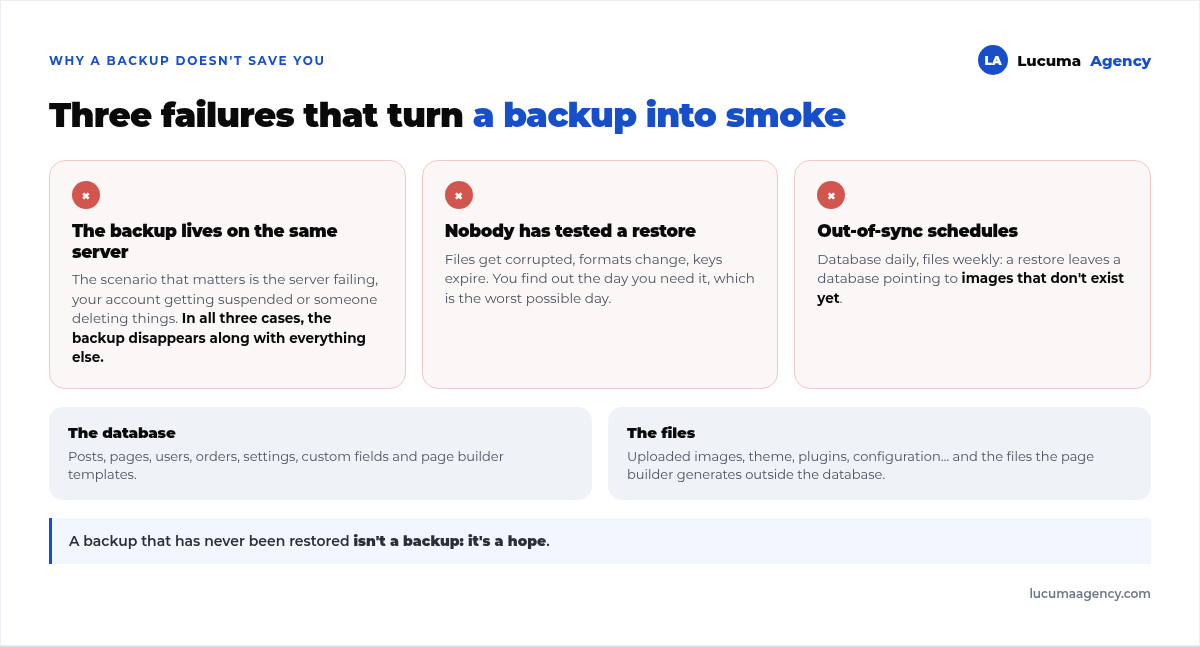
1. The backup lives on the same server as the website. The scenario that matters is the server failing, the provider suspending your account or someone breaking in and deleting things. In all three cases, the backup stored inside disappears along with everything else. A backup in the same place isn't a backup: it's a restore point for small human errors, which is useful too, but it isn't your insurance.
2. Nobody has tried restoring. Files get corrupted, backup plugins change formats, keys for external storage expire. You find out the day you need it, which is the worst possible day.
3. Out-of-sync schedules. The one we just covered. If your provider backs up the database and files separately, at least make sure it does so at the same frequency.
How often, based on what you'd lose
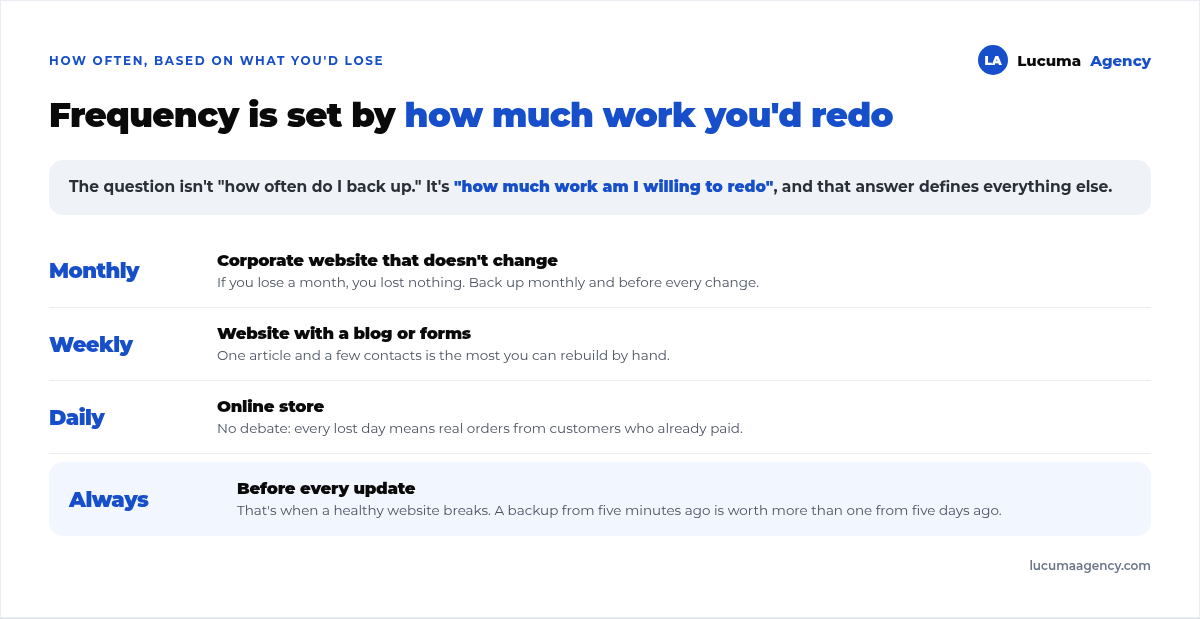
The right question isn't “how often should I back up” but “how much work am I willing to redo”. That answer sets the frequency:
- Corporate website that doesn't change: monthly backup and before every change. If you lose a month, you've lost nothing.
- Website with a blog or forms: weekly. One article and a few leads is the most you'd have to recover.
- Online store: daily, no debate. Every lost day means real orders from real customers who already paid.
- Always, in every case: before updating. That's the moment a healthy website breaks, and a backup from five minutes ago is worth more than one from five days ago.
That last rule is what makes maintenance safe to do, and it's part of the routine we describe in WordPress maintenance.
Our three-layer setup
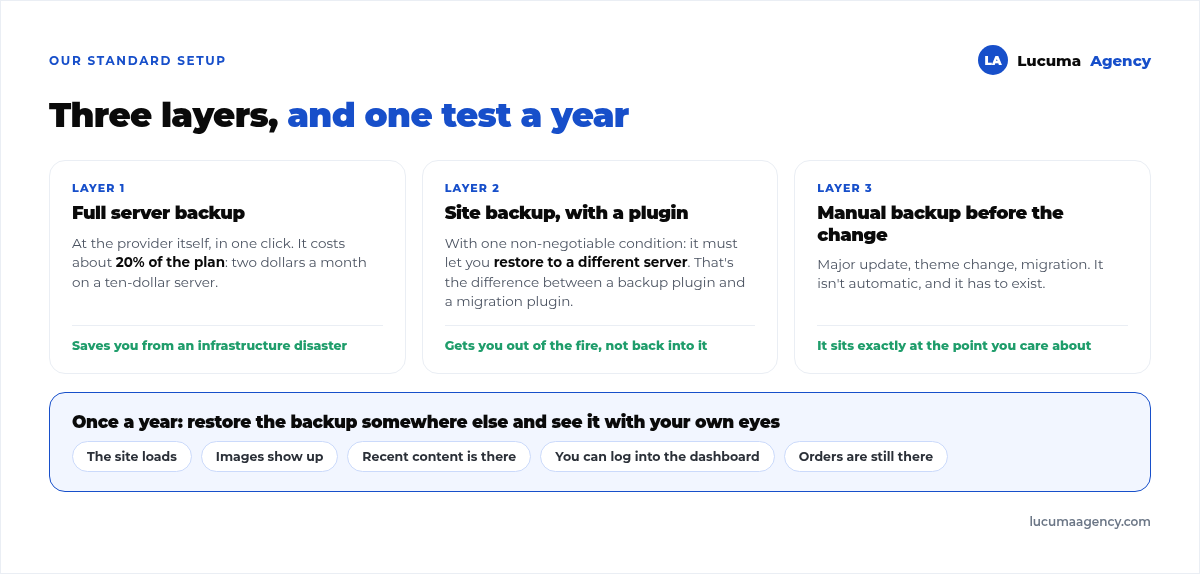
Layer 1: the full-server backup, at the provider. You turn it on with one click and it costs about 20% of the plan: two dollars a month on a ten-dollar server. It copies the entire machine and it's what saves you from an infrastructure disaster. It beats a per-site backup plugin, which doubles the disk usage of every website.
Layer 2: the site backup, with a plugin. With one non-negotiable condition: it has to let you restore to a different server. That's the difference between a backup plugin and a migration plugin. The first one takes you back to where you already were; the second one gets you out of the fire. We use the second kind, and the file is stored off the server.
Layer 3: the manual backup before every major change. Major update, theme change, migration. It isn't automatic and it has to exist, because it's the only one that sits at exactly the point you'll want to recover.
A real case: what you lose isn't always the database
It's worth sharing an incident of our own, because it shows something backup guides don't mention.
On a client's online store, an operation we ran through the API regenerated some stylesheet files incorrectly, files the page builder stores outside the database. The result: four catalog pages stayed published, with all their content intact, and completely unstyled. None of that could be fixed by restoring the database, because the database was fine.
The lesson: some parts of a modern website live neither in the database nor in the theme, but in generated files. A complete backup has to include the entire uploads folder, not just the images. And the check after any major change has to be visual, by looking at the page, not just confirming that it responds.
The test almost nobody runs
Once a year, on a website that matters: spin up the backup somewhere else and check that the site works. You don't need to touch production. You create a temporary server for a few hours, which costs a few cents, restore the backup there and check five things: that the site loads, that the images show, that recent content is there, that you can log in to the dashboard and that orders or form entries are still there.
If it fails, you found out on an ordinary Tuesday instead of in the middle of an outage. If it works, you've stopped having a hope and started having a backup.
WordPress backup FAQ
Is my hosting backup enough?
Not as your only layer. It's usually stored on the same infrastructure, and many providers keep it for just a few days. It works as a first safety net, but you need at least one offsite copy that you can download and restore on a different server.
How long should I keep backups?
A month of recent backups covers almost everything. The case that forces you to keep more is malware: sometimes it gets in and sits dormant for weeks, and by the time you detect it, your recent backups already contain it. That's why it's worth keeping one monthly backup from each of the last few months.
Does a backup plugin slow down my website?
While it's generating the backup, yes, it uses resources; that's why backups are scheduled in the middle of the night. The bigger problem is space: storing backups on the server itself doubles the disk usage of every site, which is exactly what we avoid with the full-server backup.
How do I know if my backup works?
There's only one way: restore it somewhere else and look at it. Any other answer is a guess. If you've never done it, assume you don't know whether you have a backup.
What if I get hacked? Is restoring enough?
No. Restoring gives you your site back, but it doesn't close the door they came in through: if it was a vulnerable plugin, it will happen again. After restoring you need to update everything, change passwords and keys, and check for new admin users. The full picture is in WordPress security.
Conclusion
The routine that saves you has three pieces: a server backup at the provider, a site backup that can be restored somewhere else, and a manual backup before every major change. How much work you're willing to redo decides the frequency. And the only thing that turns all of that into real insurance is having restored at least once.
In Lucuma Agency, digital marketing agency in Lima, all three layers are included in the website maintenance we provide every client, with a mandatory pre-update backup on every update. If you don't know where your website's backups are or who checks them, book a free consultation and we'll find out in 30 minutes.
Other posts you might like
At almost every real estate developer we work with, the lead takes the same absurd trip: it comes in through the form...
Switching servers is scary for a sensible reason: you rarely do it, and when it goes wrong, it goes wrong in public....
The question always comes the same way: “which payment gateway do you recommend?” And the useful answer doesn't start with a name, because the...
There's a moment, in quite a few projects, when the search for the right plugin becomes the problem. You tried three,...
Almost every online complaints book we audit complies on the outside and fails on the inside. They have the notice,...
The message came in like this: “the complaints book is throwing an error.” The Proba Inmobiliaria website, a page required by law,...
“Top 50 plugins” lists don't help you decide. They help you install fifty plugins. This is ours,...
Almost every business we ask has backups. Almost none has ever restored one. Those two sentences together are...
Almost every hosting conversation starts with price and ends up in the wrong place. The useful question is...
When a business wants to sell outside its country, the conversation almost always starts off wrong: with translation. And the...
Structured data is the piece of code that explains to Google, in a language that leaves no room for interpretation,...
The question comes up in almost every meeting: “if I use AI to write, will Google penalize me?” The short answer...