How to build a custom WordPress plugin and when it's worth it
In quite a few projects, there comes a moment when the search for the right plugin becomes the problem. You've tried three, none does exactly what you need, two are abandoned, and the closest one comes with forty options you'll never use. At that point, it's worth stopping to ask the uncomfortable question: wouldn't it be cheaper to just build it?
The answer is yes, more often than you'd think. And also no, in very specific cases. This is how we decide, with three of our own cases on the table.
What a custom plugin really is
It's not a system. It's a PHP file with a header WordPress recognizes, and inside it, code that hooks into the points where WordPress lets you step in: before a product is displayed, when an order is saved, when a checkout field is rendered.
That means two important things for your decision:
- The scope can be tiny. A 200-line plugin is a perfectly valid plugin, and it often solves what a 20,000-line one does badly.
- It can be deactivated. Unlike editing the theme, if something goes wrong you switch it off and the site goes back to how it was. That's exactly why these things go in a plugin and not in the theme.
Three real cases and why we decided the way we did
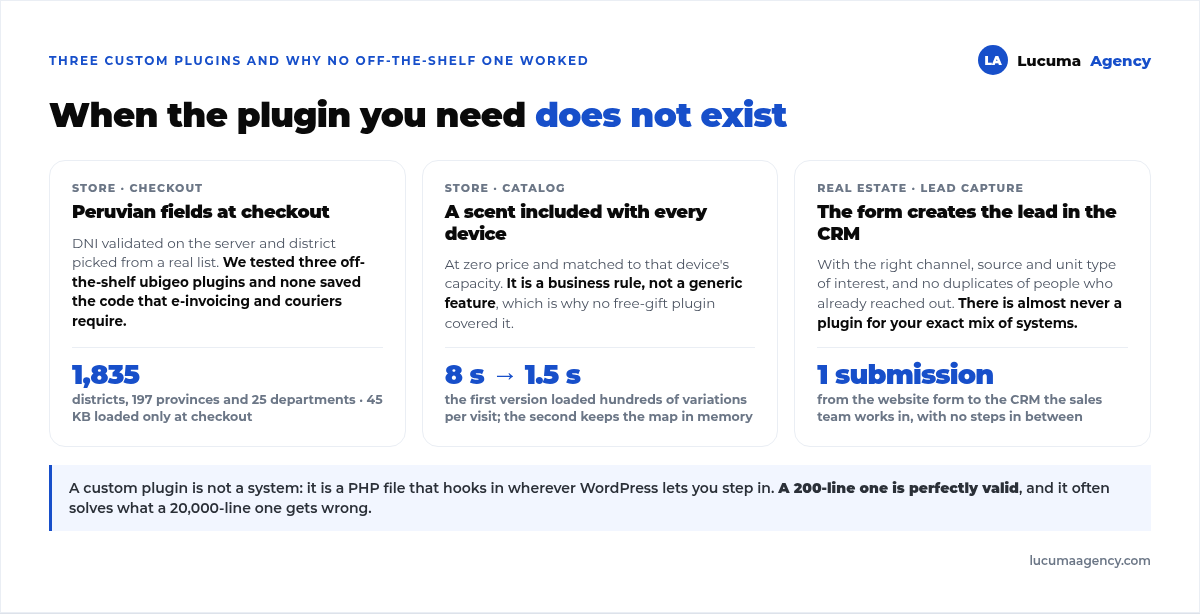
Case 1: Peruvian checkout fields. Vaporis, a diffuser and fragrance store in Lima, needed two things in its checkout: a properly validated DNI and a district chosen from a list, not typed by hand. We tried three ubigeo plugins on the market and none of them worked the way it needed to.
So we wrote it ourselves: all 25 departments, 197 provinces and 1,835 districts in the country, with server-side DNI validation and, above all, the six-digit ubigeo code saved with every order. That code is what electronic invoicing and couriers ask for, and it's exactly what none of the three plugins stored. The data file weighs 45 KB and only loads at checkout.
Case 2: a fragrance included with every product. The same store sells diffuser units and wanted each one to include a fragrance of the customer's choice, at zero cost, respecting the capacity that matches that unit. No plugin on the market handles that rule, because it's a business rule, not a generic feature.
This is where the hidden cost of custom development showed up: the first version worked, but it loaded hundreds of product variations on every visit to the product page, and the site crawled. The second version keeps that map in memory and only invalidates it when products change. That fix was part of the chain of changes that took “add to cart” from 8 seconds to 1.5, which we cover in full in how we sped up a slow WooCommerce store.
Case 3: connecting a form to a real estate developer's CRM. The form on the Proyecto Domus website, from the real estate developer Bastión, had to create the lead directly in the CRM where the sales agents work, with the correct channel, source and unit type of interest. That connector is a custom plugin, and we cover it separately in integrating your website with a real estate CRM.
When it pays off and when it doesn't
It makes sense when:
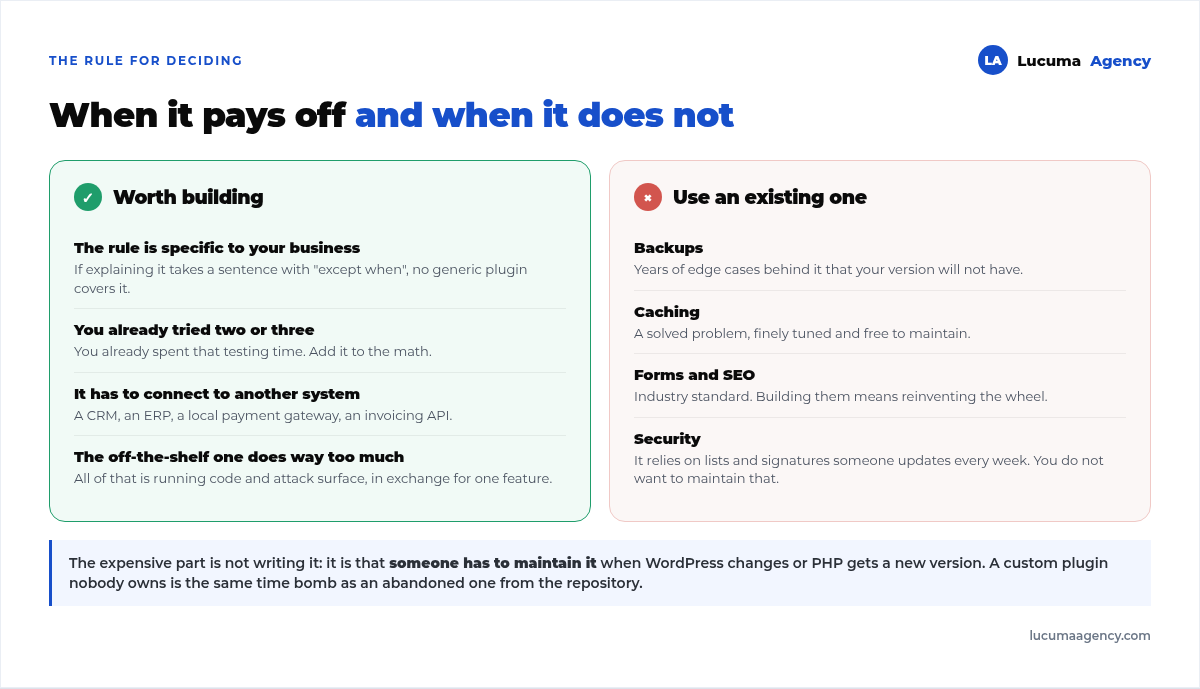
- The rule belongs to your business, not your industry. If explaining it takes a sentence with “except when”, no generic plugin is going to cover it.
- You've already tried two or three and none fits. You've already spent the time on testing; add it to the math.
- You need to connect to an external system: a CRM, an ERP, a local payment gateway, an invoicing API. There's almost never a plugin for your exact combination.
- The off-the-shelf plugin comes with far more than you need. All of that is code running and attack surface, in exchange for a single feature.
It doesn't make sense when what you need is a standard, solved function: backups, caching, forms, SEO, security. There, the off-the-shelf plugin has years of edge cases behind it that your version won't have, and maintaining it costs you nothing. For which ones to use and which to avoid, see our list in the 8 plugins we always install.
The five rules we write them by
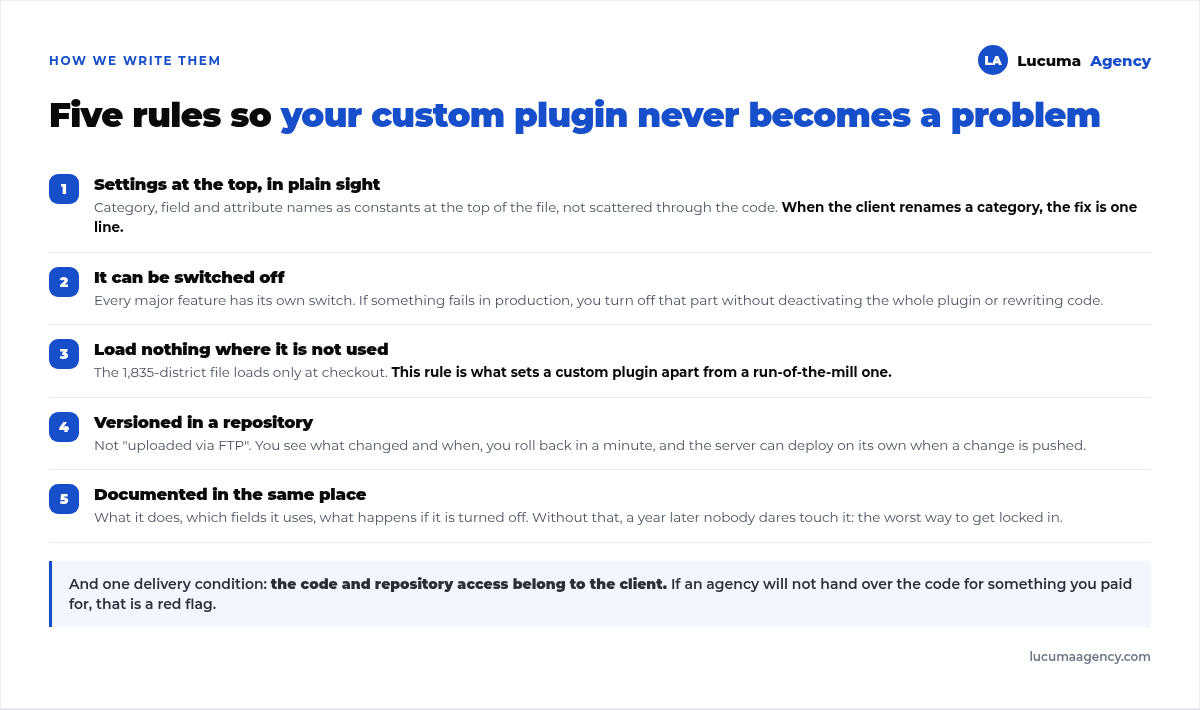
1. Configuration at the top, in plain sight. Category, field and attribute names go as constants at the top of the file, not scattered through the code. When the client renames a category, the fix is one line.
2. It can be switched off. Every major feature gets its own toggle. That way, if something breaks in production, you switch off that part without deactivating the whole plugin or writing new code.
3. Load nothing where it isn't used. The 1,835-district file only loads at checkout and in the customer account. This rule is what separates a custom plugin from a run-of-the-mill one.
4. Versioned in a repository. Not “uploaded via FTP”. With the code in a repository, you can see what changed and when, roll back in a minute, and in several of our projects the server deploys automatically when a change is published.
5. Documented in the same place. What it does, which fields it uses, what happens if it's deactivated. Without that, a year later nobody dares to touch it, which is the worst way to get locked in.
The honest cost
A small custom plugin costs less than one month of the annual license for many commercial plugins. That's not the expensive part. The expensive part is that someone has to maintain it: when WordPress changes, when PHP gets a new version, when the client renames something.
That's why we only recommend it to clients with active maintenance. A custom plugin in nobody's hands is the same ticking time bomb as an abandoned plugin from the repository, with the added downside that in the repository, at least someone else is using it. It's part of what's covered by our website maintenance, and one of the points we recommend putting in writing in what to ask for in a website quote: whose name the code is in.
Frequently asked questions about custom plugins
How much does a custom plugin cost?
It depends entirely on the scope. One that adds two validated fields to the checkout is a few days of work; one that syncs with an external system takes weeks, because half the time goes into understanding the API on the other side. What never changes is that you also need to budget for its maintenance.
Who owns the code?
That's agreed on before we start. In our projects, the client owns the code and has access to the repository: it's theirs, even if one day they stop working with us. If an agency won't give you the code for something you paid for, that's a red flag.
Does a custom plugin make the website slower?
Only if it's poorly written, and then a lot. It happened to us: our first version of the fragrance plugin loaded hundreds of variations on every visit. Done right, it's the opposite: it's lighter than a generic one because it does just one thing.
Can I modify the theme instead of building a plugin?
For styles, yes. For functionality, no: the day you switch or update the theme, you lose everything. Functionality goes in a plugin precisely so it survives the design.
What if the developer disappears?
That's the real risk, and you cover it with three things from day one: code in a repository you have access to, documentation in that same repository, and a simple structure another developer can read. Anyone can pick up a well-organized 300-line plugin.
Conclusion
A custom plugin isn't a luxury for big projects: it's often the cheapest and lightest option when the rule you need is specific to your business. What it never is, though, is free after delivery. If you have someone to maintain it, it's the best decision; if you don't, you're better off adapting to an off-the-shelf plugin.
In Lucuma Agency, digital marketing agency in Lima, we build these kinds of connectors and automations as part of our projects in AI and automation. If you're going in circles looking for a plugin that doesn't exist, check out all our services or book a free consultation and we'll tell you in 30 minutes whether it's worth building.
Other posts you might like
At almost every real estate developer we work with, the lead takes the same absurd trip: it comes in through the form...
Switching servers is scary for a sensible reason: you rarely do it, and when it goes wrong, it goes wrong in public....
The question always comes the same way: “which payment gateway do you recommend?” And the useful answer doesn't start with a name, because the...
There's a moment, in quite a few projects, when the search for the right plugin becomes the problem. You tried three,...
Almost every online complaints book we audit complies on the outside and fails on the inside. They have the notice,...
The message came in like this: “the complaints book is throwing an error.” The Proba Inmobiliaria website, a page required by law,...
“Top 50 plugins” lists don't help you decide. They help you install fifty plugins. This is ours,...
Almost every business we ask has backups. Almost none has ever restored one. Those two sentences together are...
Almost every hosting conversation starts with price and ends up in the wrong place. The useful question is...
When a business wants to sell outside its country, the conversation almost always starts off wrong: with translation. And the...
Structured data is the piece of code that explains to Google, in a language that leaves no room for interpretation,...
The question comes up in almost every meeting: “if I use AI to write, will Google penalize me?” The short answer...